The new website – a look behind the scenes

The old site ran on Wix for years – and, honestly, it had had its day. It did its job, no question. But it cost money month after month, never looked quite right on a phone because it wasn't responsive, the design felt dated, the images were far too small and some of the texts were clunky.
Then there was a simple thought: my domains are with the web host all-inkl anyway, and the unused webspace there can do everything I need. So why keep paying for a Wix builder? Thats why I decided to build something of my own: a site based on state-of-the-art web technologies that is fast, modern and vibrant, and a little playful. 😅 (you've surely noticed the light trails slowly drifting across the background 😊), one that shows the images really big and looks good on any device, from a 32-inch monitor down to a phone. And above all: a site that's completely mine, one I control down to the very last detail.
What's under the hood
A ready-made system like WordPress or Joomla was deliberately off the table for me. These CMSs are powerful, but fragile too: a big attack surface, plugins you need but don't really control and that sooner or later drag in security holes, and constant update chaos from version dependencies.
Instead, the new site sits on a lean, self-built foundation. The design system, the image processing and everything visual was created with Astro, Tailwind CSS and Playwright – modern build tools that only run in the development environment, not on the server. The pages themselves are served by lightweight PHP that reads the content from plain text files – there's no classic database with a server process that needs to run and be maintained around the clock. A highly efficient cache makes sure every page loads as fast as pure, static HTML – exactly what browsers display quickest. When a page's content changes, it drops out of the cache; on the first visit it's rebuilt, cached again, and fast on every visit after that.
Regarding the generated code, I made sure that the markup is clean and standards-compliant – and error-free, checked against the current W3C HTML5 specification.
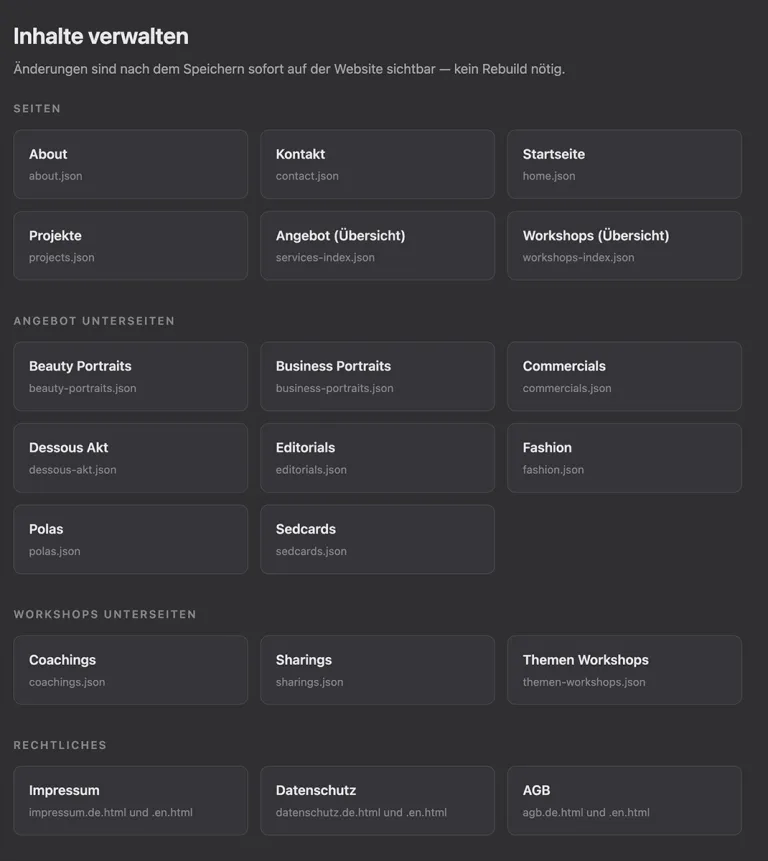
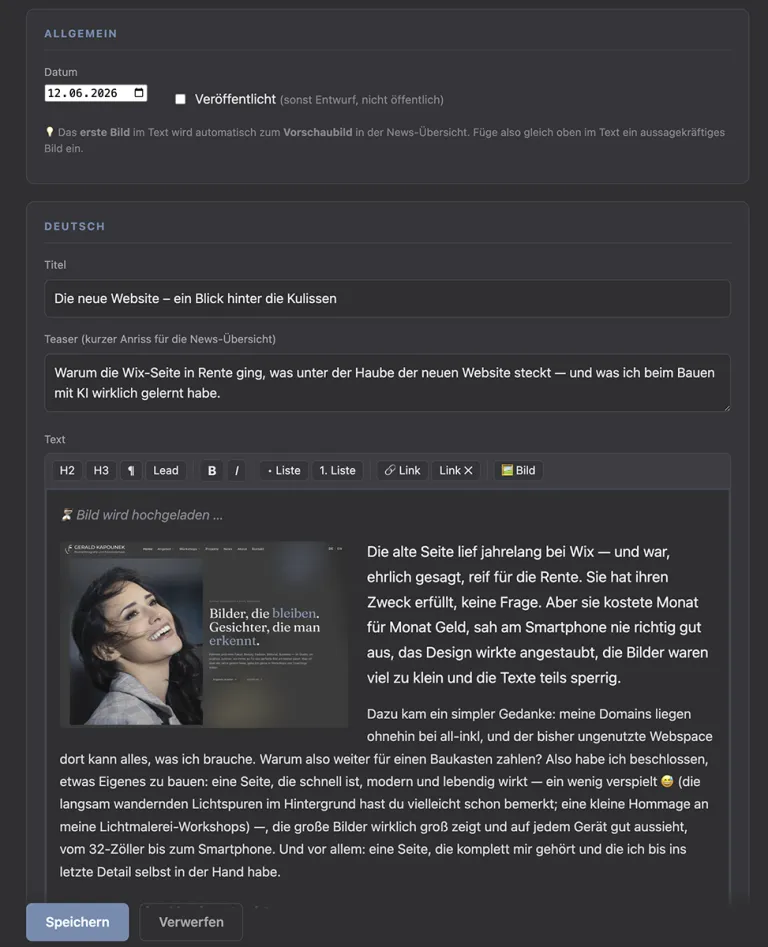
And yet I can manage all of it comfortably through a custom-built PHP admin panel: the texts, every image and gallery including uploads, and the news too – the latter in a WYSIWYG web editor where I can see exactly how it'll look live, without touching a single line of code. As convenient as a website builder, as fast as static HTML.
Security from day one
Security was something I thought about from the start, rather than patching it on at the end. The admin panel can only be reached from a handful of static IP addresses – for everyone else it practically doesn't exist. Everything that ends up in the browser is pre-parsed and prepared so that smuggled-in code will be never executed, but at most shown as harmless text. CSRF tokens – secret one-time keys – guarantee that admin actions were really triggered by me and not by some manipulated third-party site. Only bcrypt hashes of passwords are stored, and this outside the web root. And everything is encrypted and secured via HTTPS and HSTS anyway.
The contact form fights off spam five ways at once: mandatory CSRF token with a session requirement, an invisible honeypot field, a rate limit per sender IP, strict validation with protection against header injection – and a time trap that catches bots by the fact that they submit faster than any human could type.
Search engine optimisation (SEO) was implemented throughout, too: meaningful page titles and meta tags, structured data, a sitemap that guides search engines through every page, readable URLs that make sense to a human at first glance, and Open Graph tags so that a shared link shows up on social media with a proper preview image right away.
Accessibility
As much as I love these effects myself: the scroll animation, the smart zoom on the images, the light painting in the background – it was still important to me to give visitors a way to turn all of that off: every modern desktop- and smartphone-operating system offers a setting called "reduce motion," made for people who find animations uncomfortable, or who even get dizzy from them. My site respects that setting – what's left is a clean, animation-free look without movements in the background.Built with AI – but not at the push of a button
The whole thing came together piece by piece, right inside the Visual Studio Code development environment, working with Claude Code and Claude AI models. To keep it from drifting into randomness, a lot of groundwork went in first: I defined the design, the technical architecture and all the conventions in a playbook of a good dozen Markdown files (those are the "prompts") that instructs the AI at every step. That makes it feel much more like real teamwork than a button press. The selection of the photos I didn't leave to an AI, of course – for me that was one of the most laborious tasks.
The AI sticks strictly to this playbook, develops and codes step by step, iteratively, and along the way – like any human who develops – makes occasional mistakes, but catches them itself, fixes them, and keeps testing and correcting practically non-stop: with Playwright (a browser simulation) it keeps checking the results at every resolution, from a large monitor down to a narrow phone display. And when a decision comes up, it prefers to ask rather than charge ahead blindly. Depending on the task, different models took their turn: Opus 4.8 for the most parts, Sonnet 4.6 for the non-critical, simpler tasks (to save tokens) – and when it got really complex, e.g., when developing the caching algorithm: Fable 5. At times up to three sub-agents were spun up – a team of AI developers, so to speak. Everything is backed up and versioned on GitHub: that way nothing gets lost, every state stays traceable, and future extensions are easy to make.
What I learned along the way
On the internet, AI development is often made to sound as if you just type "build me a website" (to say it simply) – and a great result drops out the other end. Sadly, that's not how it works. If you want a genuinely good result, you have to bring a fair bit of knowledge yourself: concrete ideas about design and technical architecture, clear goals, a basic grasp of HTML, CSS and scripting. You need to understand and answer the AI's often quite technical questions, find your way around Visual Studio Code and a terminal – and when the AI says something like "please install Python in the development environment", actually be able to do it.
AI was a huge help for me – without it I couldn't have built this website; my programming skills are far too thin for that. But without solid knowledge and a well-thought-out playbook, you won't end up with a satisfying result. AI is an extremely powerful tool – but it doesn't replace knowing what you actually want to build. And how.
Questions about the site – or an image idea right away? Write me!
some images of my Admin panels: